
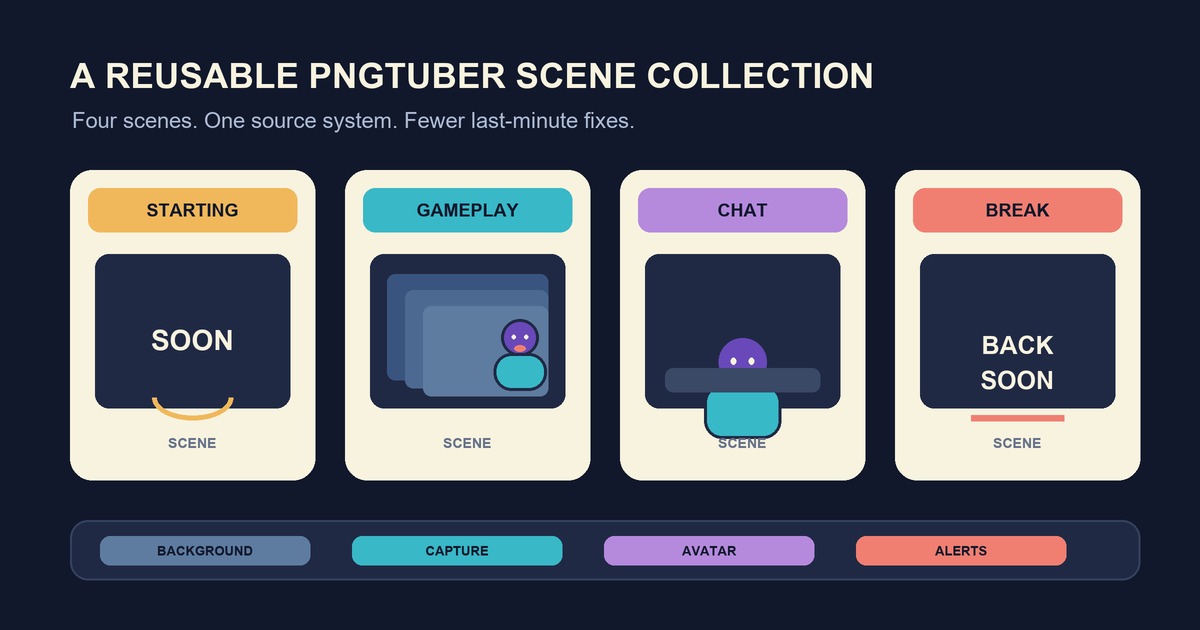
A reusable OBS setup should make the next stream easier to start, not give you another complicated system to maintain. For most PNGTuber streams, four scenes are enough: Starting Soon, Gameplay, Chat, and Break. Build those scenes once, give every source a plain name, then duplicate only when the layout truly needs to change.
This guide focuses on organizing scenes and sources after your avatar capture already works. If the PNGTuber is not in OBS yet, follow the PNGTuber OBS setup guide first. Get one clean avatar source working before you turn it into a reusable layout.
Scene collection, scene, source, or profile?
These OBS terms sound interchangeable until you need to fix something five minutes before going live.
- A source is one item OBS can display or capture, such as your game, avatar window, background image, microphone, or alert browser source.
- A scene is an arranged group of sources. Your Gameplay scene might contain the game capture, PNGTuber, alerts, and a frame.
- A scene collection stores scenes and their sources. OBS also notes that global audio sources from Settings > Audio belong to the scene collection.
- A profile stores most output-related settings, including Stream, Video, and Output settings. It does not store your scenes.
The distinction matters because changing profiles will not swap your layout. Changing scene collections will not automatically change your streaming resolution or other output choices. OBS lets you mix a collection with different profiles, but you still need to confirm that the selected pair is the one you intended.
The official OBS scene collections guide describes collections as saved groups of scenes and sources that you can switch for different situations. That makes a separate collection useful when the whole production changes, such as moving between a game stream and a podcast. It is usually unnecessary when only one panel or camera position changes.
Build four scenes around jobs, not games
Naming a scene after its job keeps it reusable. A scene called GAME - Main still makes sense next month. A scene called after one game often gets copied, forgotten, and left with old sources inside it.
Starting Soon
Keep this scene quiet and simple. Use a background, a short line of text, and music only if you have the right to stream it. Your avatar can be absent or idle. The scene’s job is to give you time to check the OBS preview, audio meters, and stream dashboard before the main content appears.
Gameplay
Put the game or screen capture near the bottom of the source stack. Place the PNGTuber, frame, alerts, and any small labels above it. Check that the avatar does not cover subtitles, menus, health bars, or prompts. If different games need the avatar on different sides, duplicate this scene into GAME - Left Avatar and GAME - Right Avatar rather than rebuilding the stack.
Chat
This scene can give the character more room because the game no longer needs most of the canvas. Reuse the same avatar source when practical, then change its transform for the roomier layout. Keep chat display optional. A readable character, a calm background, and enough empty space for captions or a topic card are often sufficient.
Break
A break scene should tell viewers that the stream is still running while hiding anything private on your desktop. Use a fixed background and a clear return message. Do not rely on minimizing windows behind a display capture. Switch to a scene that contains no desktop or game source at all.
Use one shared base without making a maze
If the same frame, alerts, and avatar appear in several scenes, place them in a small base scene such as BASE - Avatar + Alerts. You can then add that scene as a source inside Gameplay or Chat. One update to the base changes every scene that uses it.
This saves time, but nesting can become hard to trace. Keep the base limited to items that genuinely travel together. The game capture does not belong there. Neither does a large chat panel used in only one layout. When a source disappears, you should be able to find its controlling scene without opening five layers.
Use source names that describe both the item and its role:
AVATAR - VeadotubeGAME - CaptureBG - ChatALERTS - BrowserTEXT - Break Message
Lock sources after positioning them. This prevents an accidental drag in the preview, especially when the avatar sits close to an edge. Hide unused test sources instead of leaving several nearly identical captures visible. Once the replacement is proven, remove the obsolete one.
Keep one collection until the production changes
A new game does not automatically need a new collection. Stay in one collection when your Starting, Gameplay, Chat, and Break structure remains the same. Duplicate a scene for a different game-specific position or crop.
Create another collection when most of the source list changes, when you need a clean recording layout without stream overlays, or when a different show format would clutter the normal scene list. Those uses match the examples in the OBS documentation. Give collections names that describe the production, such as PNGTuber Stream, Podcast, or Clean Recording.
Do not create a second collection merely to change output resolution or streaming service. That belongs in an OBS profile. Before a stream, check both names in the OBS menus. A familiar collection paired with the wrong profile can still use unintended output settings.
Turn the layout into a repeatable pre-stream check
- Open the intended scene collection and profile.
- Click through Starting Soon, Gameplay, Chat, and Break.
- Confirm that the correct sources appear in the expected order.
- Speak normally and check both avatar movement and the OBS audio meter.
- Record a short local sample and play it back.
- Switch to Break and confirm that private windows cannot appear.
This takes a few minutes and catches stale game captures, hidden avatars, muted microphones, and misplaced overlays before an audience sees them. It also tests the current setup rather than trusting that last week’s collection still points to every file and window correctly.
A practical stopping point
Your collection is reusable when you can open OBS, choose the right collection and profile, test four scenes, and start without rebuilding the avatar layout. Resist adding scenes for every possible moment. Add one only when it has a clear job that the existing four cannot handle.
If your PNGTuber source still needs to be captured or made transparent, return to the step-by-step OBS and Veadotube Mini guide. Scene organization works best after that source is stable.
If you still need the character states themselves, create a free four-state PNGTuber and Veadotube Mini pack before building the reusable OBS collection.